Transferring In Your Collectible
If you've previously transferred a collectible out of Fanable and want to bring it back into your profile, you can do so manually via the contract on BaseScan. Here's how:
💡 Note: Transferring collectibles back in requires a blockchain transaction, which means you'll need ETH on the Base network to cover gas fees.
Steps to Transfer Back a Collectible
-
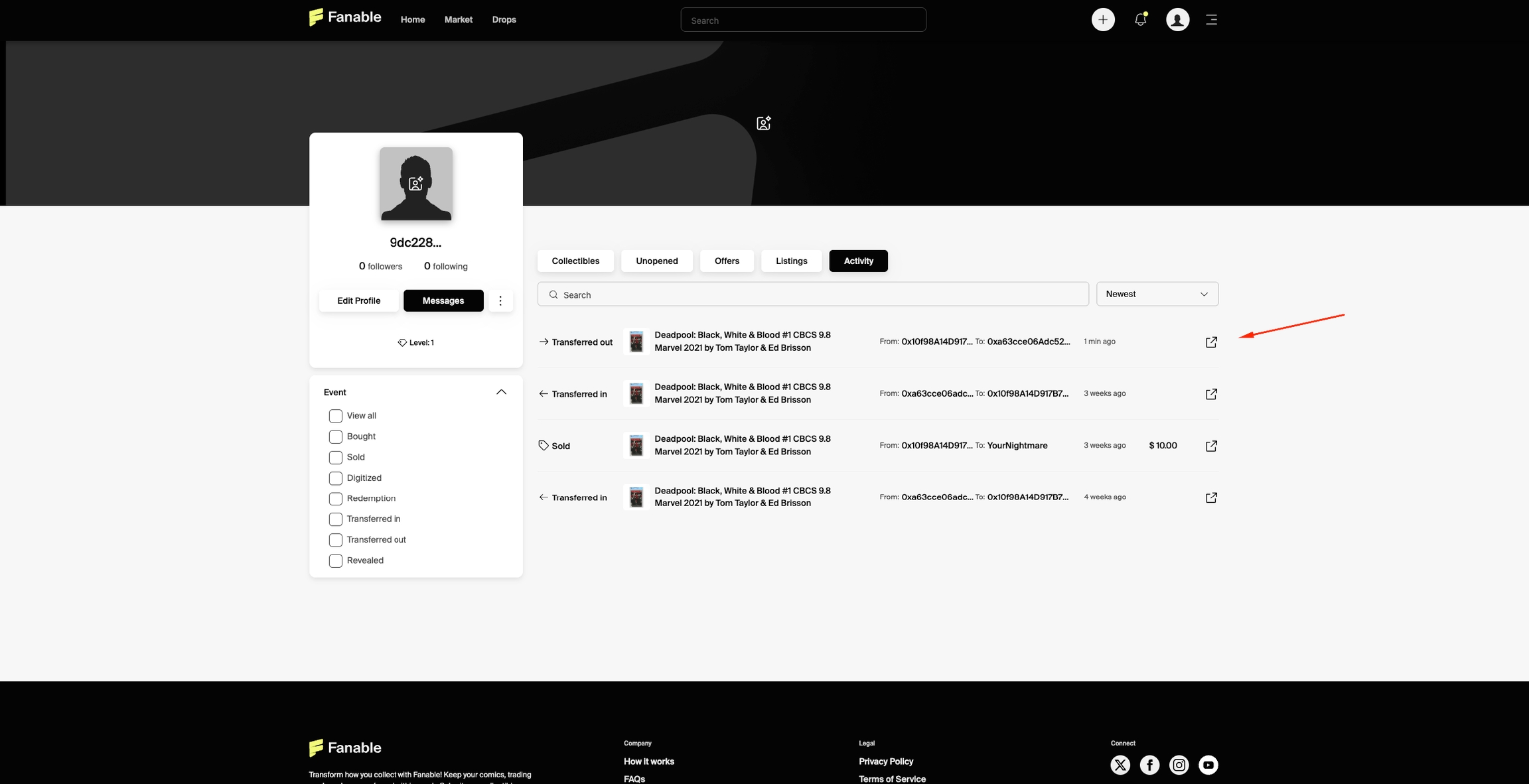
Open Your Fanable Profile Go to My Activity and locate the previous Transfer Out transaction of your collectible. Click the transaction link to open it on BaseScan and view the full transfer details.
-
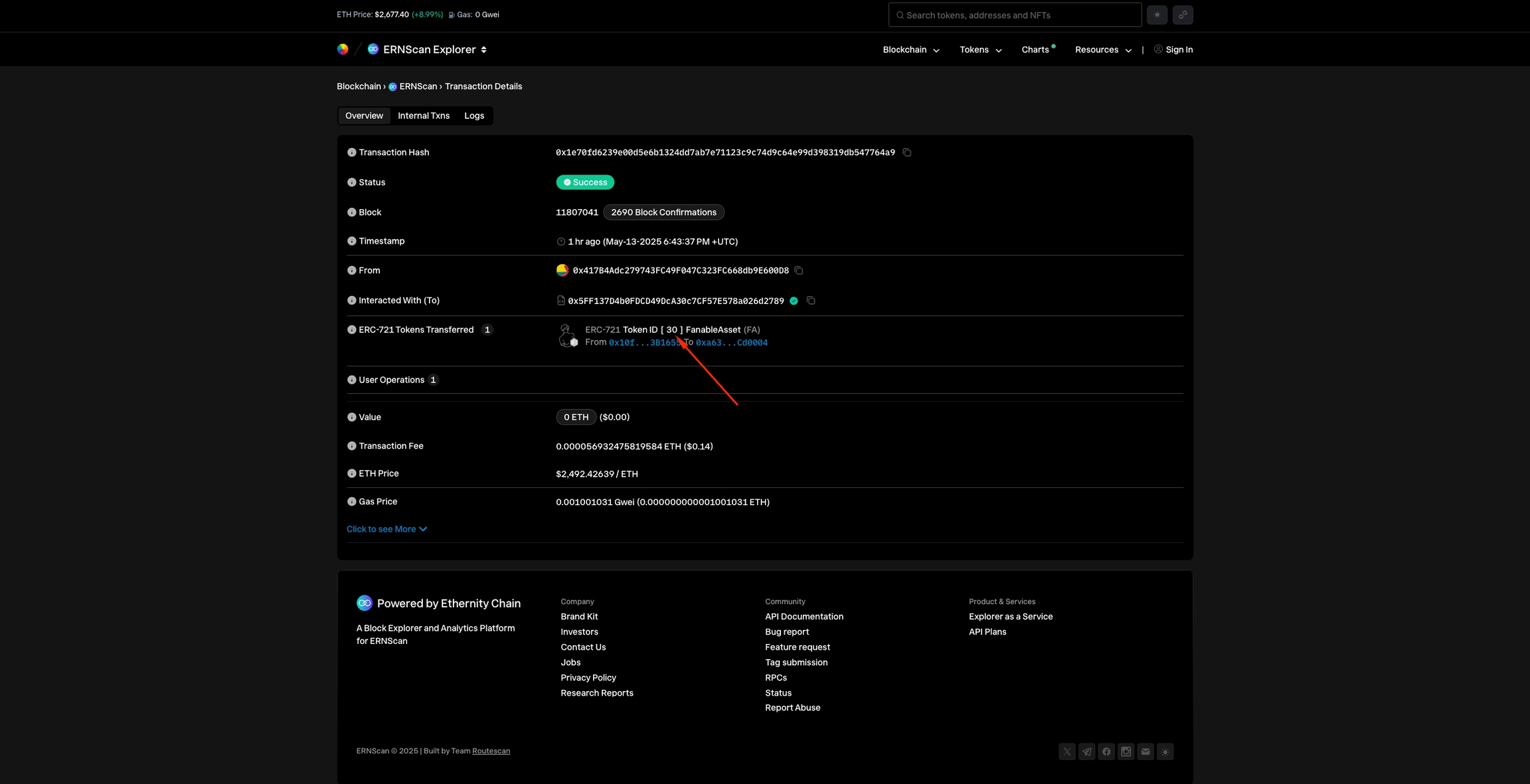
Get the Token ID On the BaseScan transaction page, locate and click the Token ID to open the collectible’s token details.
-
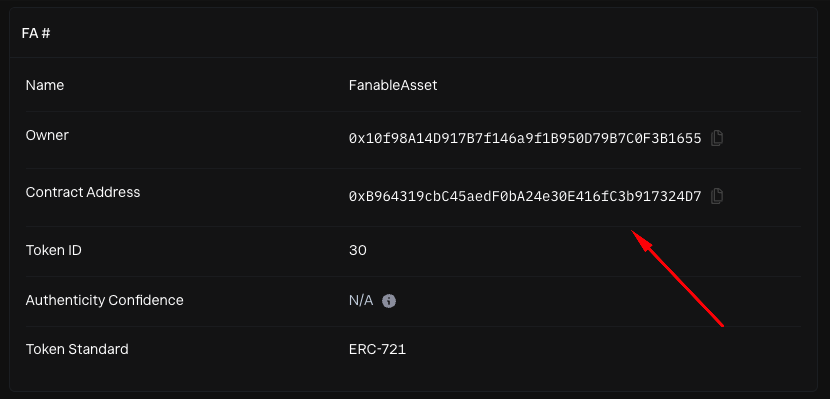
Access the Contract On the token page, click the Contract Address to open the full contract page.
-
Interact with the Smart Contract
-
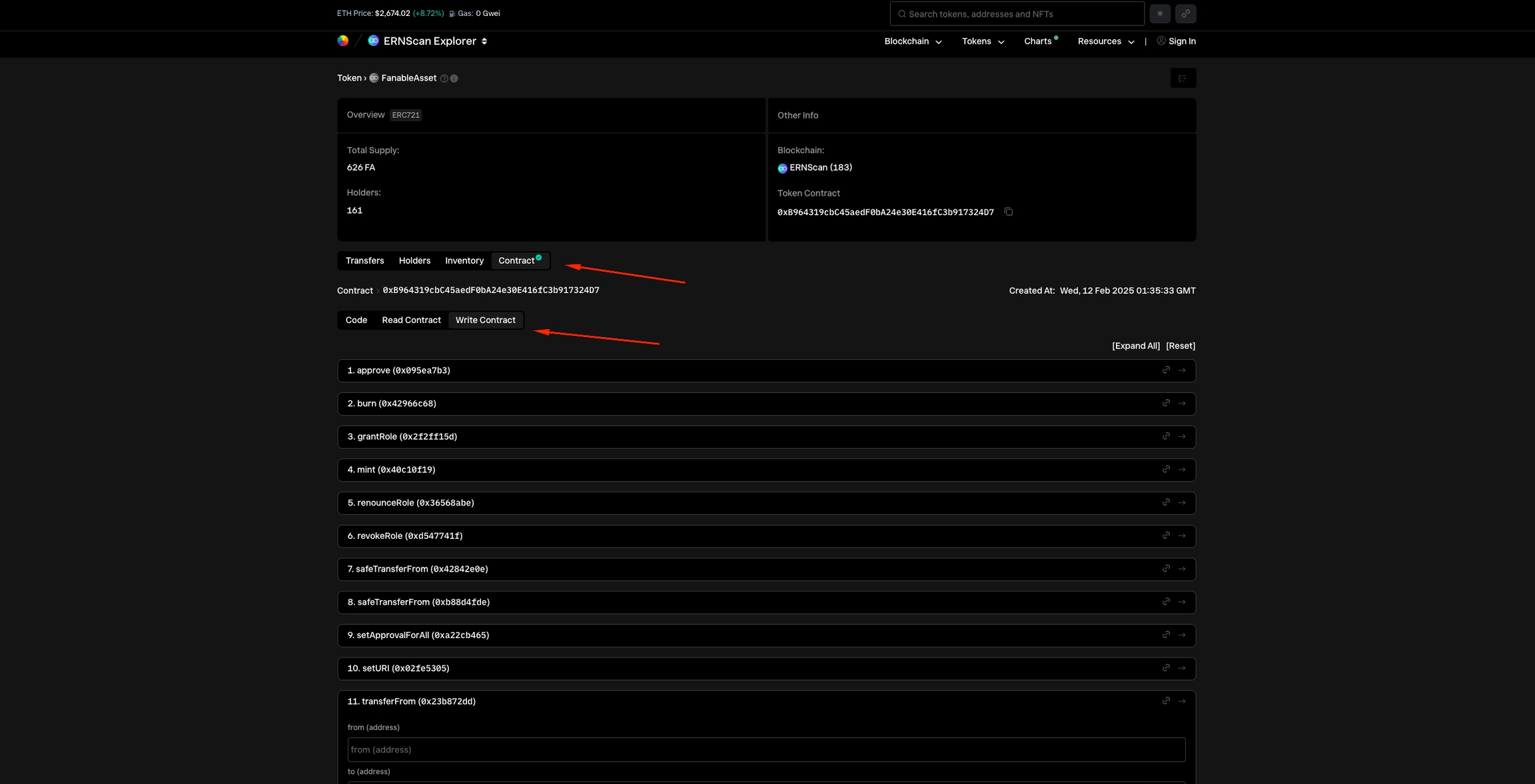
Click the "Contract" tab
-
Go to the "Write Contract" section
-
-
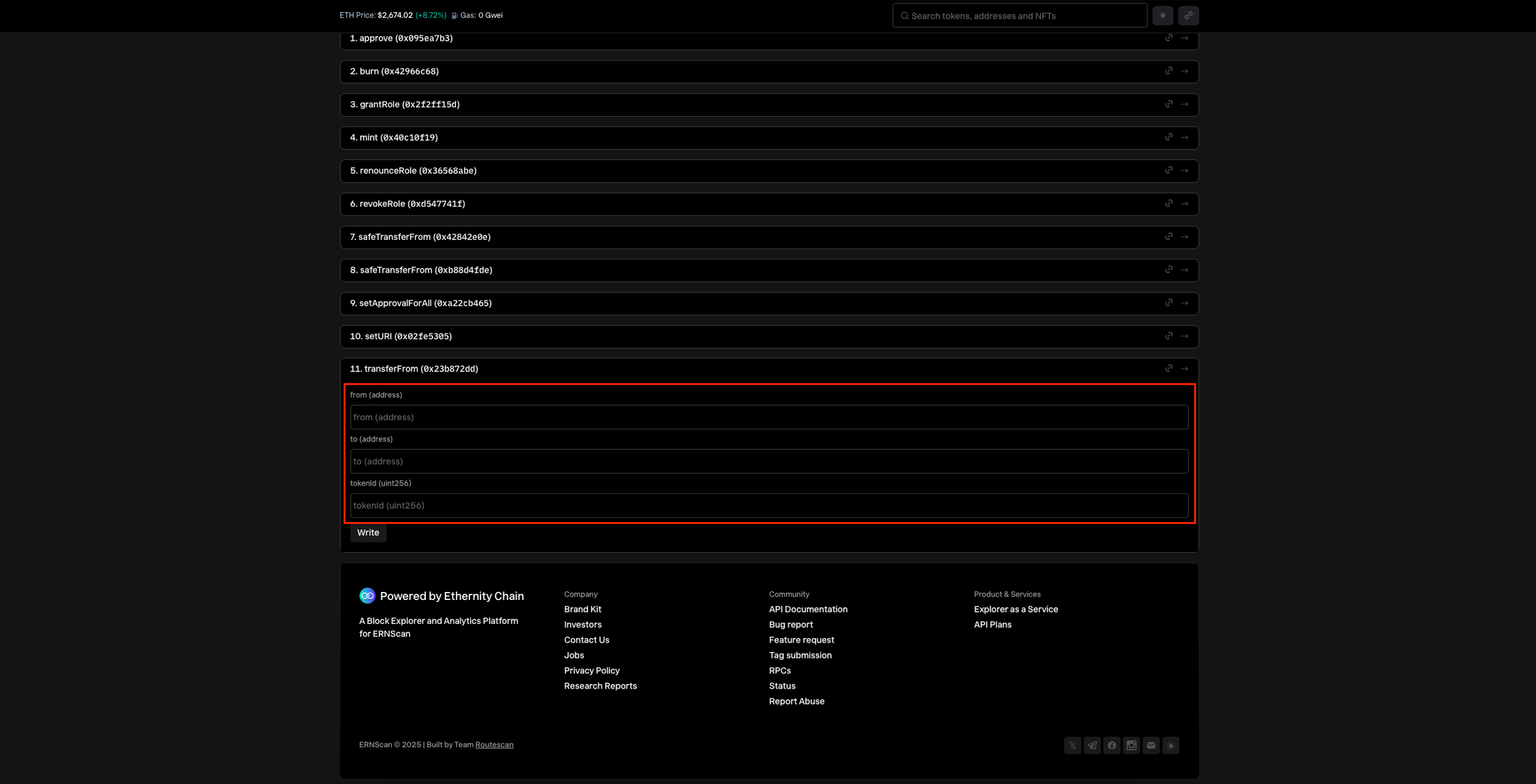
Execute the transferFrom function In the
11. transferFromsection, fill out the following fields:-
from: the external wallet address that currently holds the collectible (your external wallet address) -
to: your Fanable wallet addressYou can find this in your Fanable profile: tap the three-dot menu and choose "Transfer In", then click "Copy"
-
tokenId: paste the Token ID from step 2
-
-
Finalize the transation Click "Write" and confirm the transaction in your connected wallet.
🧩 If this is your first time interacting with Base, your wallet may prompt you to add the network before proceeding. If the pop-up doesn’t appear, you can add the network manually using the following settings:
| Setting | Value |
|---|---|
| Network Name | Base Mainnet |
| RPC Endpoint | https://mainnet.base.org |
| Chain ID | 8453 |
| Currency | ETH |
| Block Explorer | https://basescan.org |
✅ Once confirmed, your NFT will be transferred back to your Fanable account. ⏱️ It should reappear in your profile within 1–2 minutes.